
The medication reminder you can't swipe away
Take your meds.
Unlock your apps.
When a dose is due, Pill Lock locks the apps you choose until you confirm you've taken it. No more swiping a reminder away and forgetting.
- No account needed
- Health data stays on your device
- iPhone & iPad
How it works
A reminder is easy to dismiss. Your phone isn't.
Most of us check our phone before we remember our pills. Pill Lock uses that habit: the apps you reach for become the reminder.
- 1
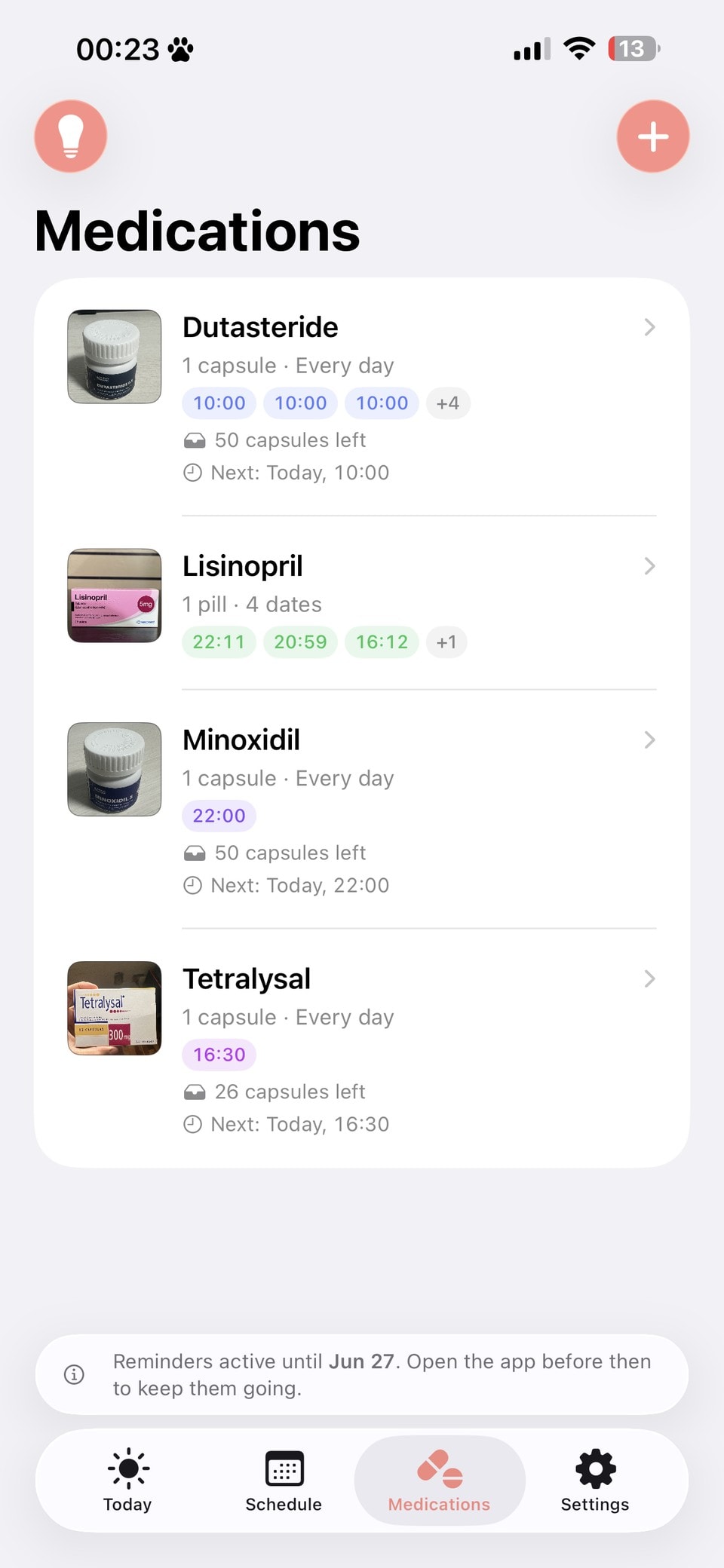
Add your medication
Enter the name, the dose and when you take it. Add photos of the pill and its box so you always know which one is which.
- 2
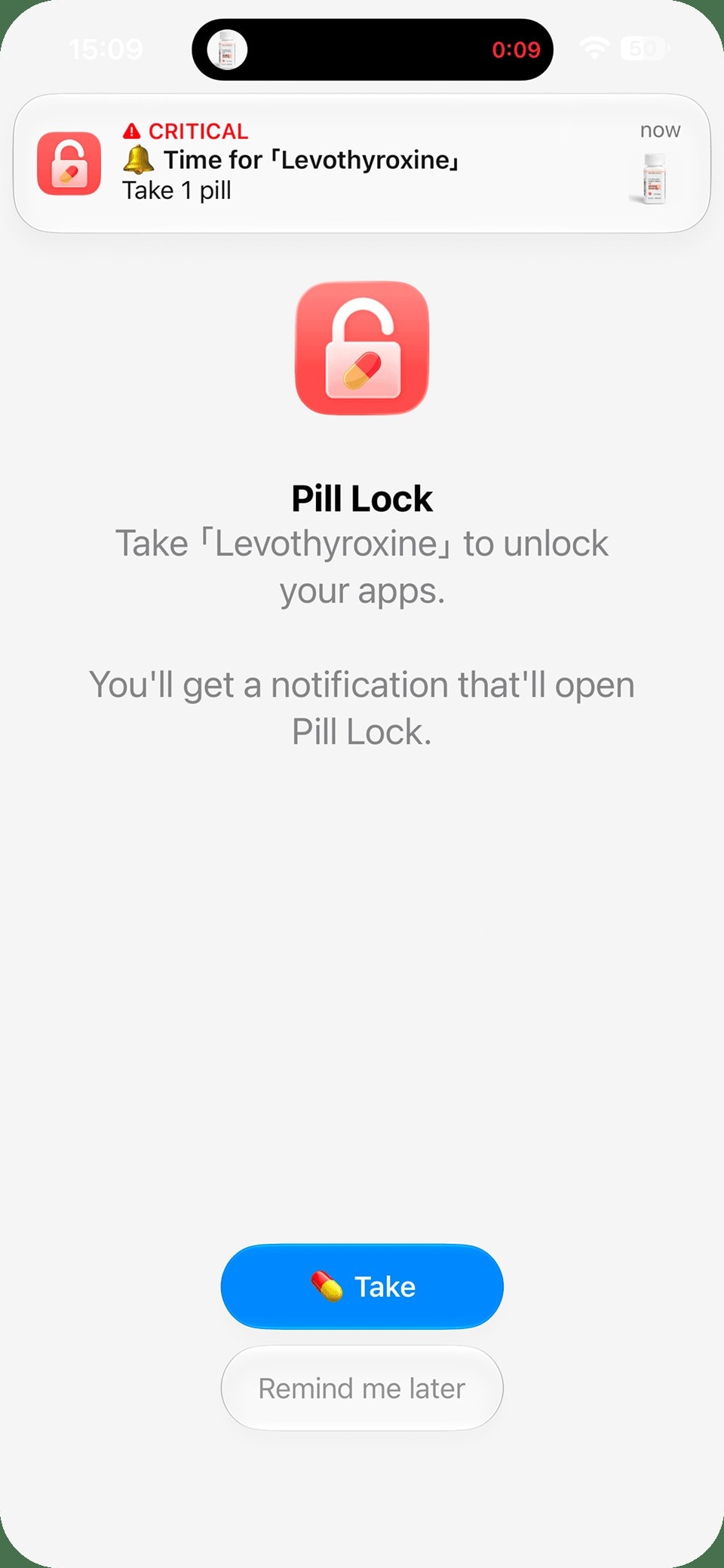
At dose time, your apps lock
Open a locked app and you'll see a reminder instead of your feed. You choose which apps and categories get locked.
- 3
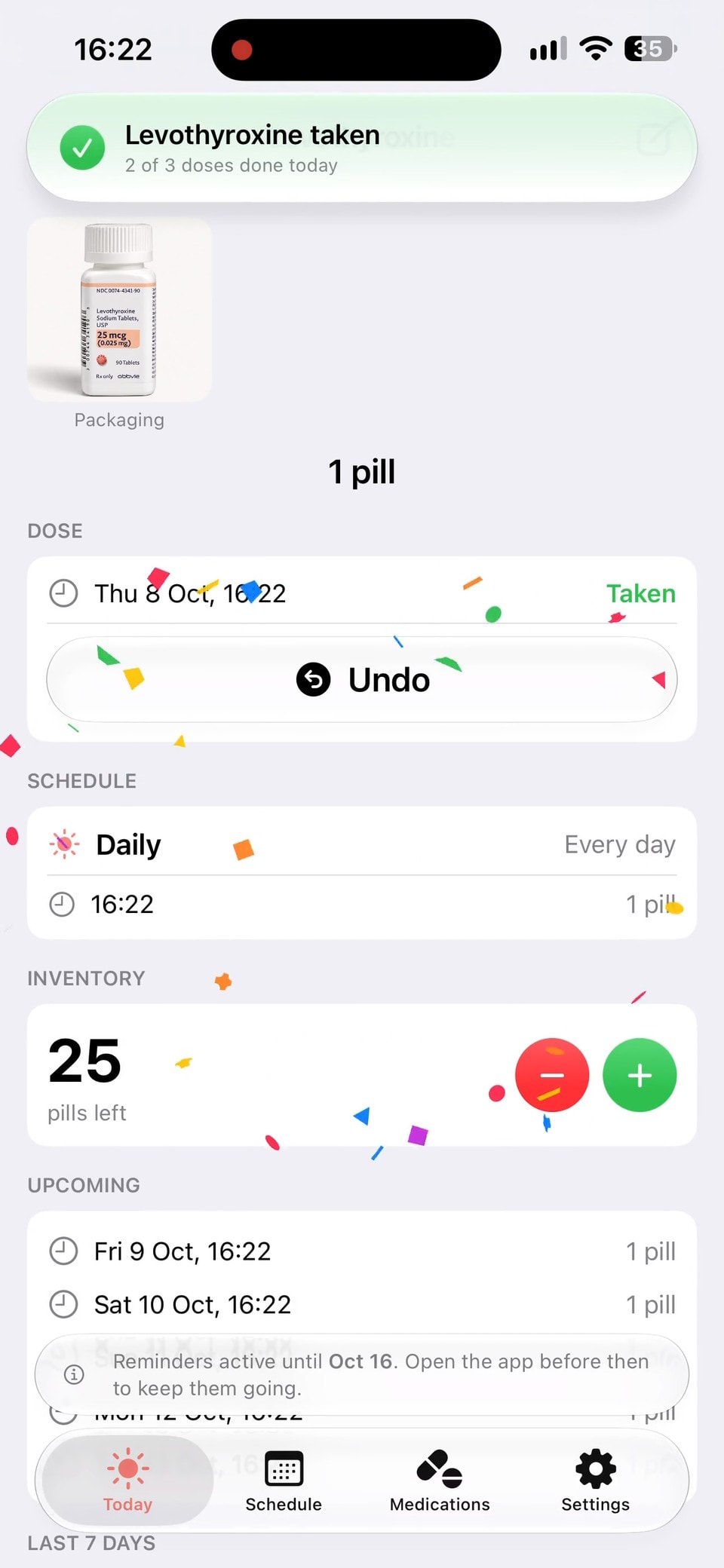
Take it, and you're back
Tap Take and your apps unlock immediately. Your history and pill count update automatically.
Reminders that get through
Hard to miss. On purpose.
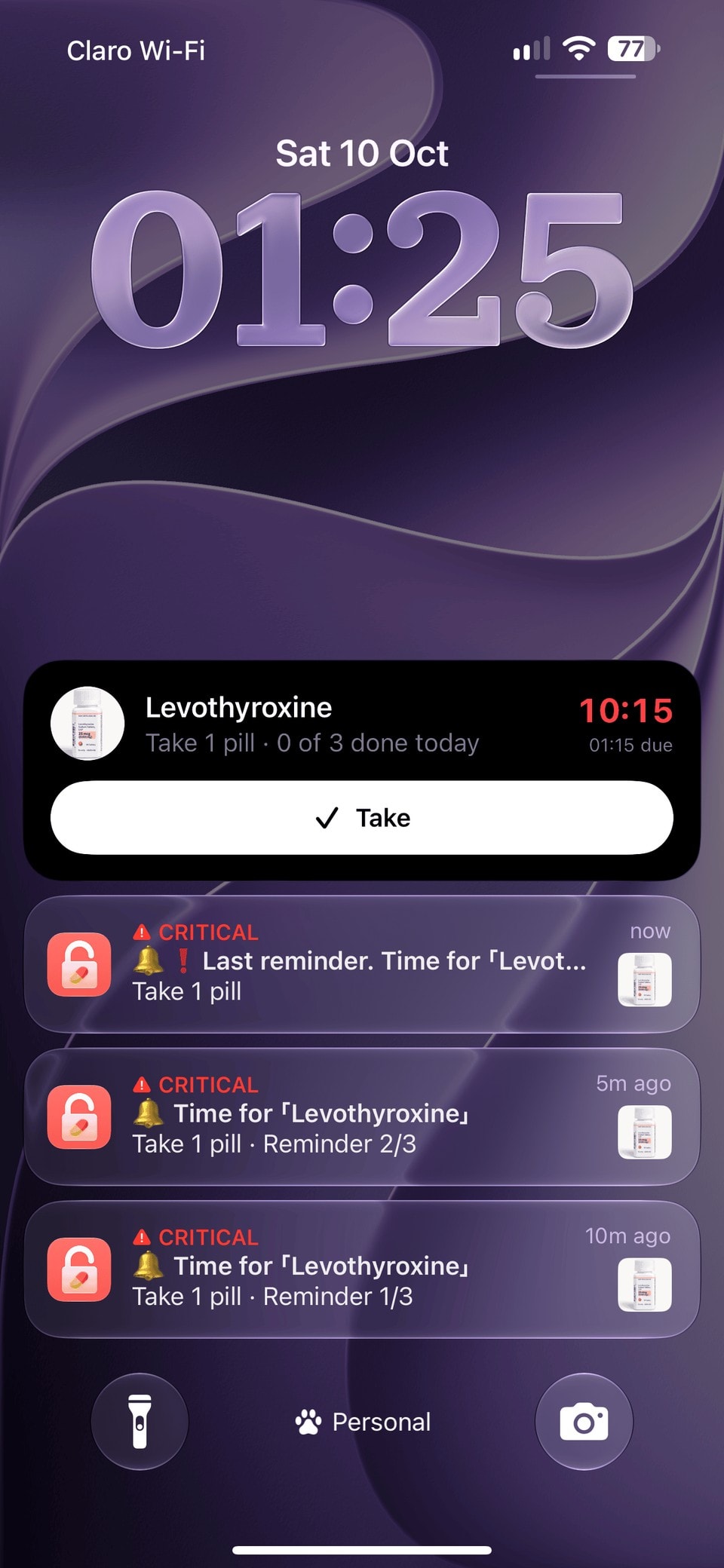
Pill Lock doesn't remind you once and give up. It keeps following up until you take your dose, skip it or snooze it.
Follow-up reminders
Up to 3 reminders per dose, spaced anywhere from 5 minutes to an hour apart.
Critical alerts
For the doses that matter most, alerts sound even when your phone is on silent or in a Focus.
Live Activity
A due dose stays on your Lock Screen and in the Dynamic Island, with a counter showing how late it is.
See what to take
Each reminder shows a photo of your medication, so you don't mix up similar-looking pills.
Live Activities require iOS 26 or later.
Smart lock
Firm when it counts. Flexible when you need it.
Pill Lock uses Apple's Screen Time to lock apps at dose time, so it works even when Pill Lock isn't open. You can always change the settings.
You choose what's locked
Pick specific apps or whole categories like social media and games. Or lock everything.
Set per dose
Turn locking on for the doses you tend to forget and leave it off for the others.
Remind me later
Snooze the lock for 5 or 20 minutes. It comes back on time, along with a reminder.
Never locked out
If you can't take your dose right now, you can unlock for that dose. It's your decision.
“Remind me later” on the lock screen requires iOS 26.4 or later. Earlier versions offer an emergency unlock.
Features
A complete medication tracker. Not just a lock.
Every medication gets its own schedule, reminders and lock settings, and your whole routine is in one place.
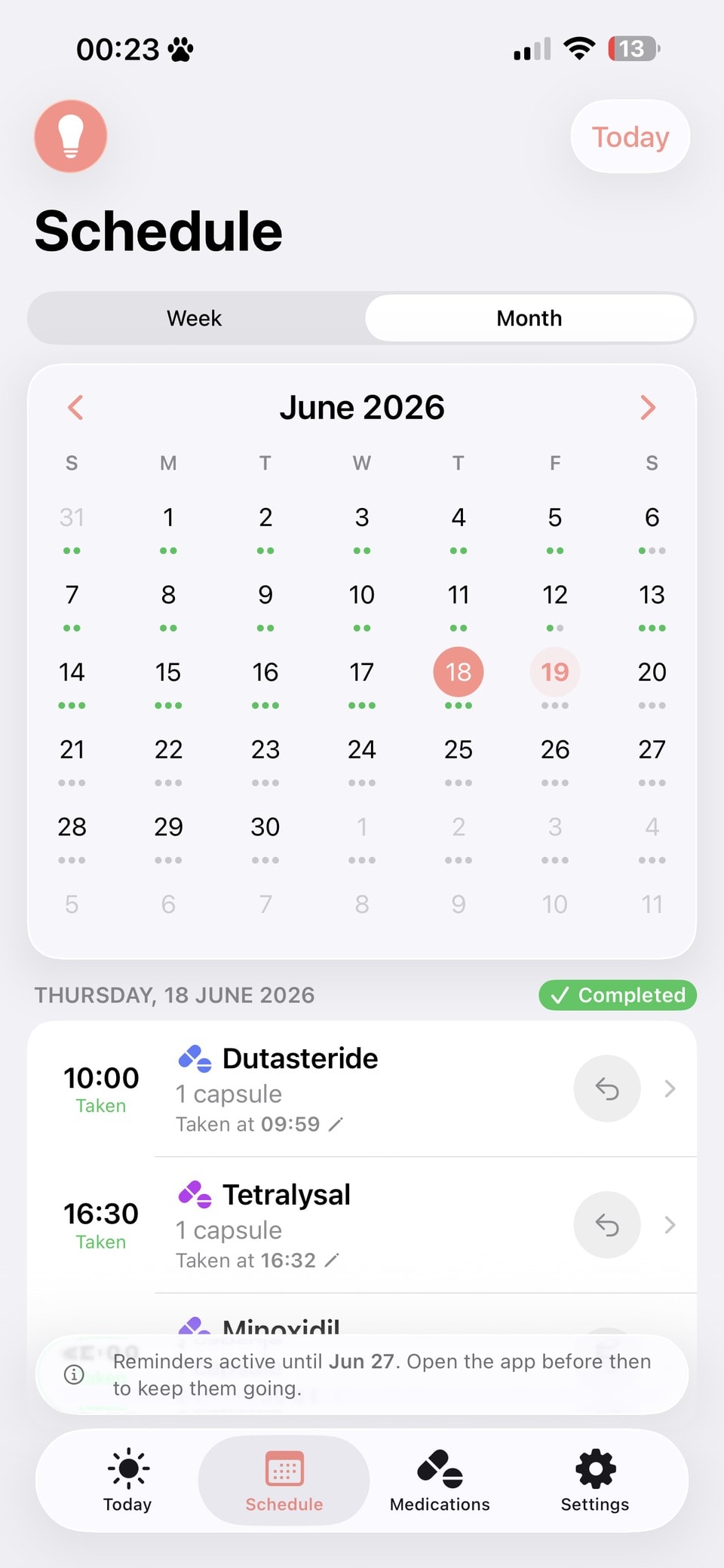
Your schedule at a glance
Today, this week and the whole month in one place, so you can see what's due, taken or missed.
Every dose, on the record
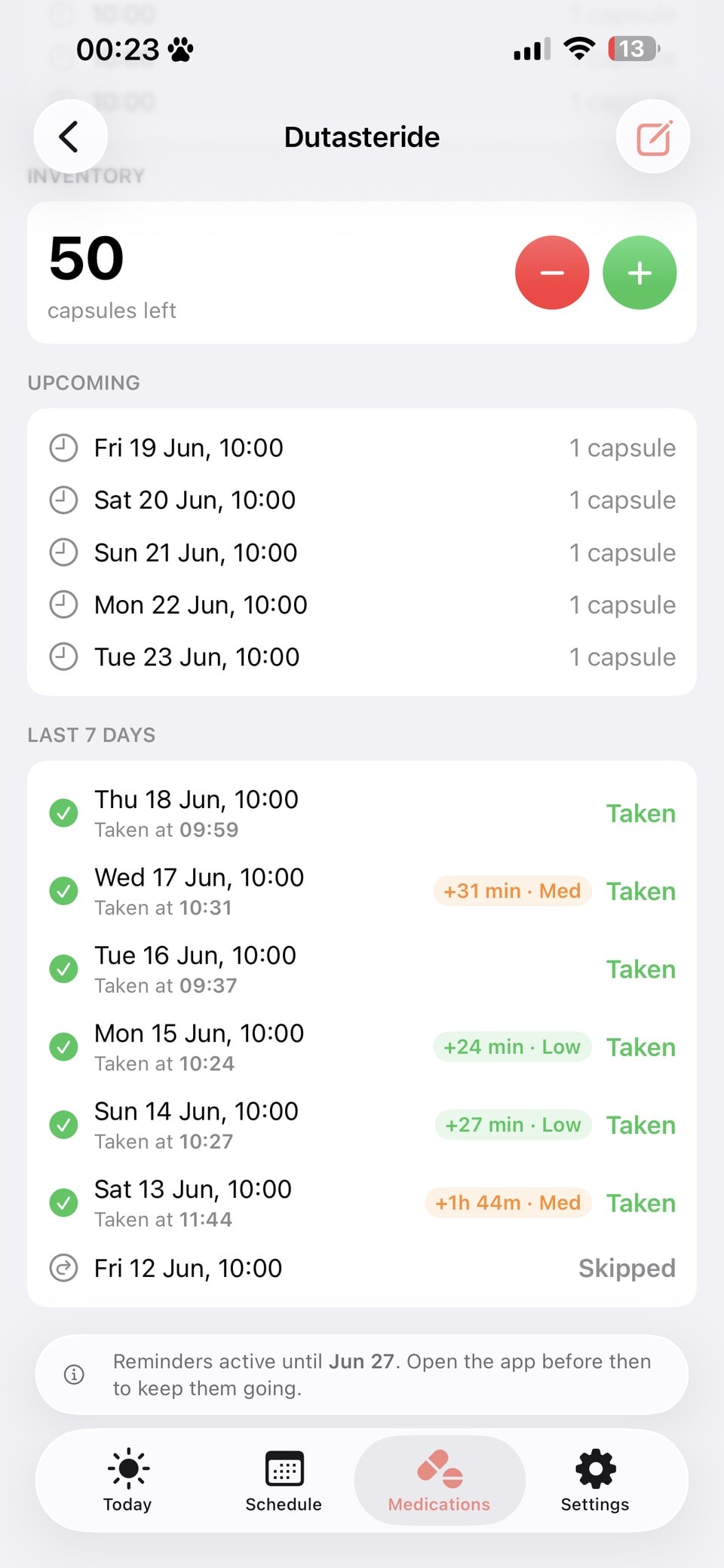
Each medication shows its last 7 days, upcoming doses and how late each dose was taken.
Schedules that fit real prescriptions
Several times a day, every 8 hours, 21 days on and 7 off, or only when you need it.
- Daily
- Specific weekdays
- Every few days
- Every few hours
- On/off cycles
- Specific dates
- As needed
Stock tracking
Your pill count goes down with every dose, and you'll see a low-stock warning before you run out.
Courses that end
Run a medication indefinitely, until a set date, for a set number of doses, or until the box is empty.
An accurate log
Record a dose you took earlier, skip one, or undo a tap you didn't mean.
Photos of your meds
Add photos of the pill, its packaging and where you keep it.
iPhone and iPad
Built natively for iOS and iPadOS 18 or later.
Private by design
Your health data stays on your iPhone.
What you take is your business. Pill Lock works without sending your medication information anywhere.
No account, no sign-up
Open the app and start. There's no email, password or profile to create.
Stored on your device
Your medications, schedules, dose history and photos are kept on your iPhone, not on our servers.
Your apps stay private
Screen Time keeps your app choices private. Pill Lock can't see which apps you picked or how you use them.
No medication names in analytics
Anonymous usage stats help us improve the app. They never include what you take, and we never sell data.
How does Pill Lock lock my apps?
What if I need my phone right away?
Can Pill Lock see which apps I use?
Where is my medication data stored?
Do I need to keep the app open?
Which devices are supported?
How much does Pill Lock cost?
Is Pill Lock medical advice?
Never forget another dose.
Add your medication and choose which apps to lock. Your phone will remind you from then on.
Download on theApp Store